AquiMaps: Building an Idea That Google Wouldn’t Allow
I’d been thinking about this idea for months.
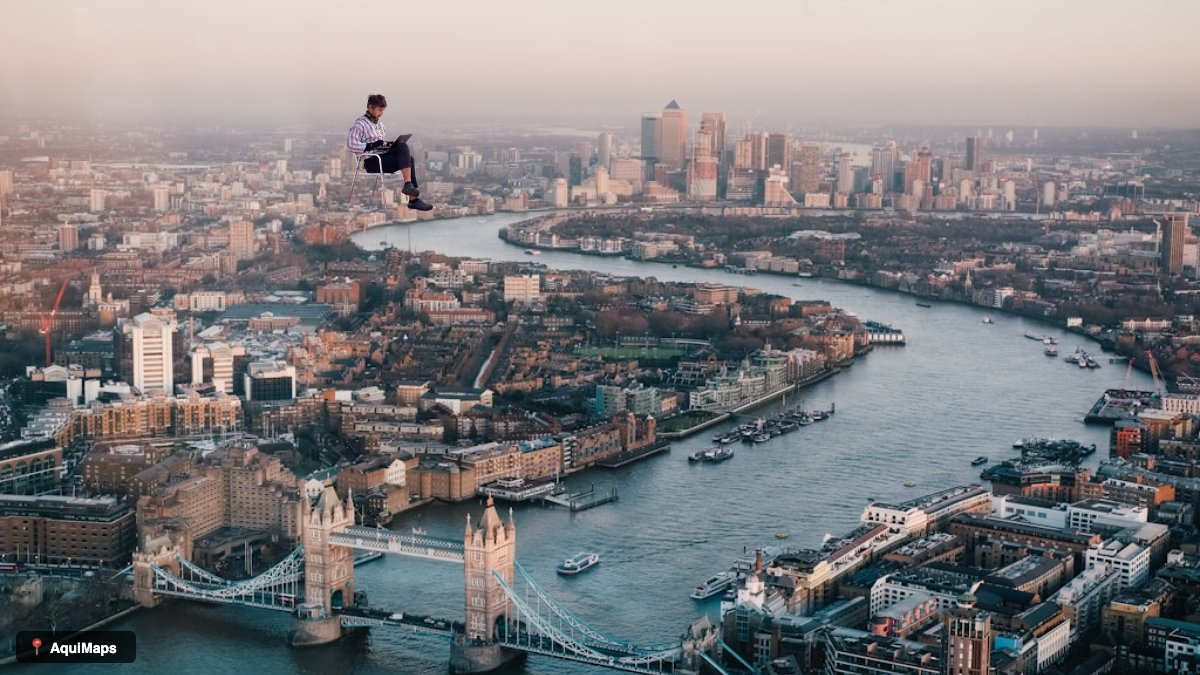
The concept was straightforward: what if you could place yourself into a Google Street View photograph? Not a Photoshopped version with perfect lighting and impossible angles, just appear there as if Google’s camera car had caught you standing in the background while passing through. Your living room becomes the Eiffel Tower. A selfie ends up at the Blue Mosque in Istanbul. It’s absurd, which is exactly what makes it funny.
The appeal was obvious. It’s the sort of thing people would actually want to share with friends and family. Simple enough that anyone could do it in thirty seconds. I wanted to build something with a single clear purpose, the way early Twitter or Snapchat worked. One constraint, executed well. And it would be free.
The Build
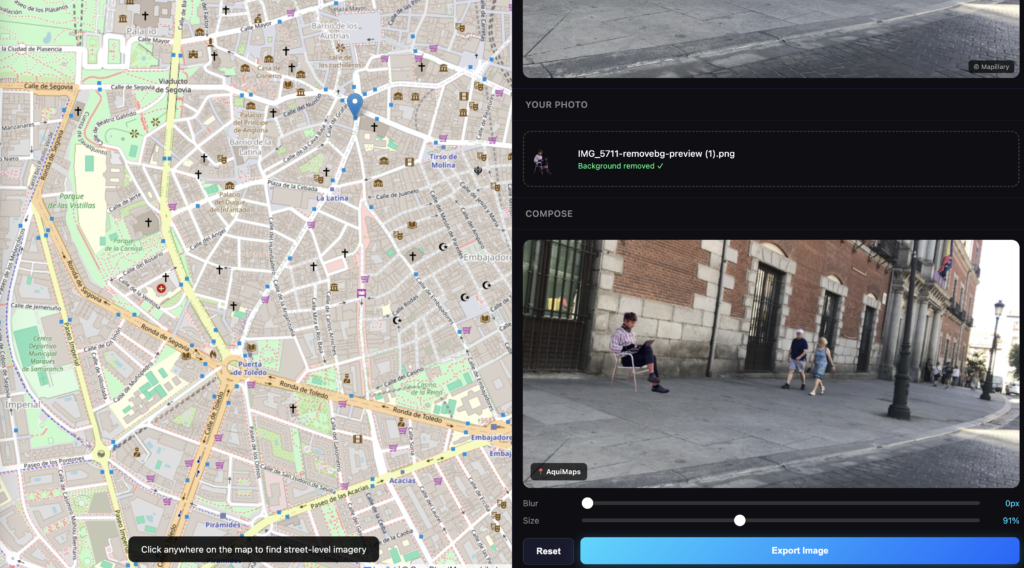
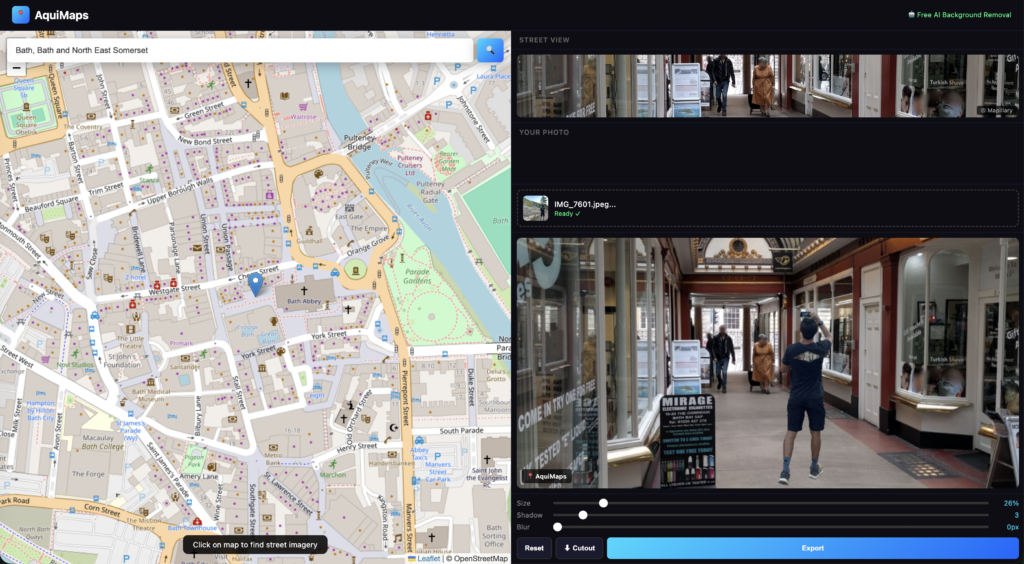
I started building AquiMaps in January. The technical concept was straightforward. A user finds a location on a map, the app loads street-level imagery from that location, they upload a photograph, the app removes the background automatically, they drag it around and resize it, add shadow and blur effects, and export as a shareable image. The entire workflow should take about thirty seconds.
For the technical side, I used Claude for architecture decisions and Cursor, an AI-powered code editor, for the actual building. Instead of writing every line manually, I described what I wanted, Cursor generated the code, I reviewed it and iterated. This approach (vibe-coding) worked surprisingly well. Most of the UI came together quickly enough that I could spend more time on the harder problems.
The hard part wasn’t the code. It was the constraints.
The Google Problem
Street-level imagery is the foundation of the idea. Where do you get it? Google Street View is the obvious choice, with the best coverage in the world and the highest quality imagery. Users can find virtually anywhere and the experience would be seamless.
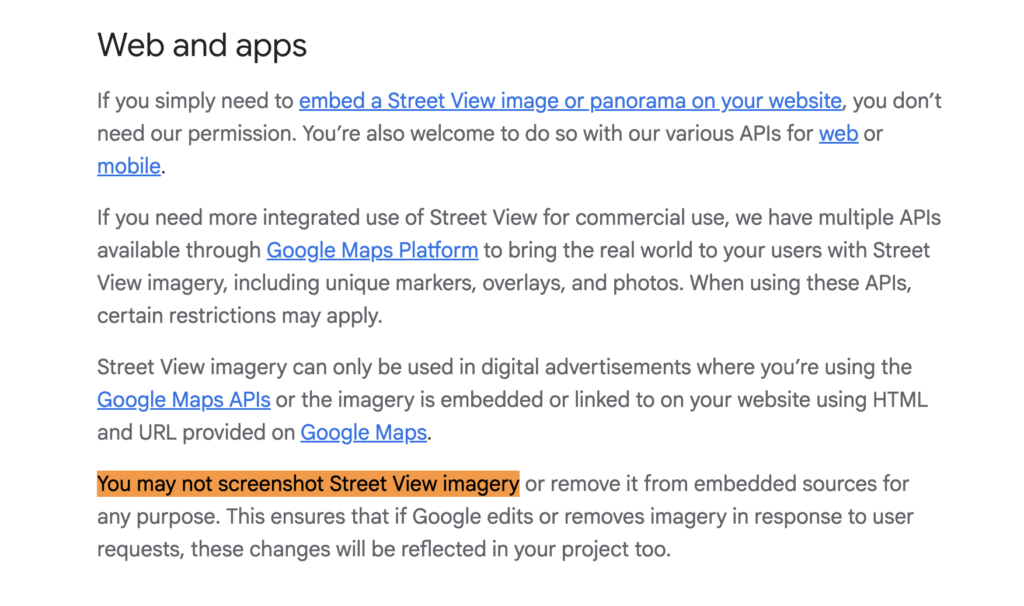
Except Google explicitly forbids it. Their Terms of Service are unambiguous: you cannot take screenshots of Street View, modify them, composite onto them, or redistribute them. There’s no gray area and no room for interpretation.
I could have ignored this. Plenty of meme apps operate in legal grey zones, and Google probably wouldn’t come after a small side project. But probably isn’t the same as definitely. Once an app gains traction, that’s when the cease-and-desist letters arrive. I didn’t want to discover the limits of their enforcement the hard way.
So I didn’t use Google Street View.
The Pivot to Mapillary
I switched to Mapillary, a crowdsourced street-level imagery platform owned by Meta. They have 2 billion images across 190 countries. It’s free to use, legally permissible, and the closest thing to Google Street View that you’re actually allowed to build with.
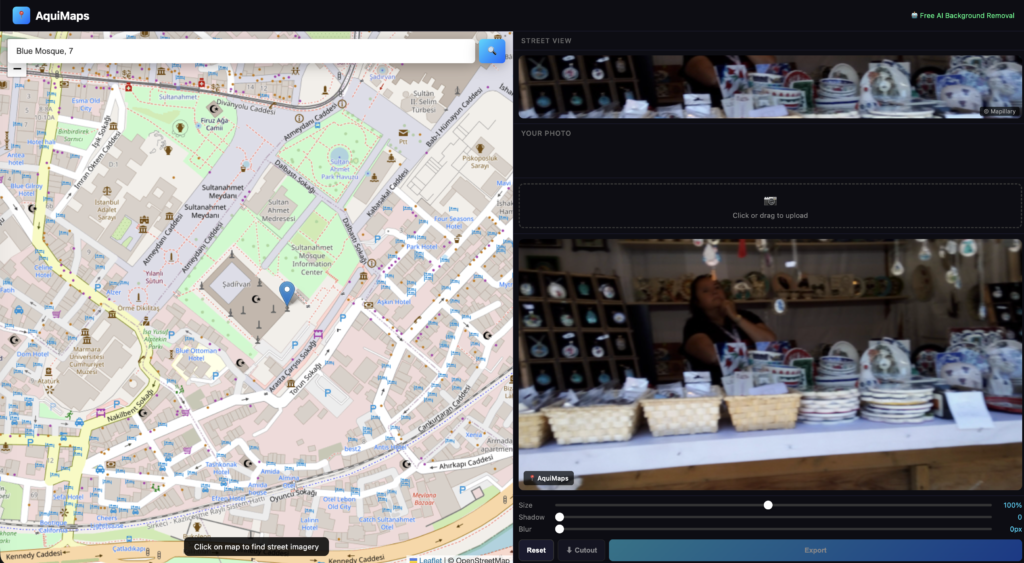
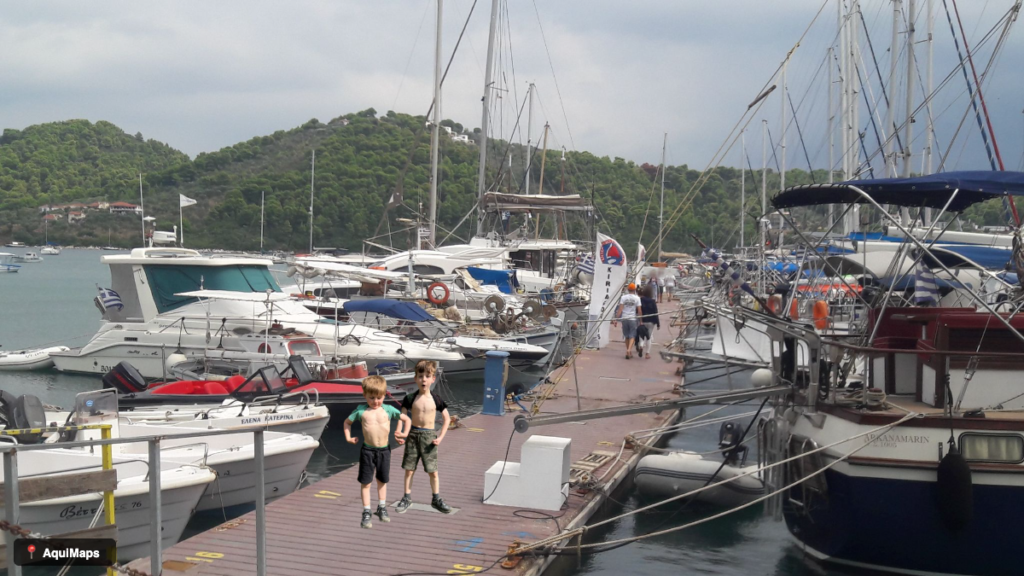
The trade-off, however, is significant. Mapillary’s coverage is roughly 1% of Google’s. This sounds like a manageable limitation until you start testing it. Searching for “Blue Mosque, Istanbul” doesn’t return a beautiful shot of the mosque from street level—it returns maybe a blurry photograph of a random door somewhere in the neighbourhood, or nothing at all. Many locations have no coverage whatsoever.
I tested it across cities, tourist destinations, and famous landmarks. Major metropolitan areas had reasonable coverage. Anywhere else? Often nothing. The core concept remained intact, but the scope shifted fundamentally. Instead of “put yourself anywhere in the world,” it became “put yourself in cities where Mapillary happens to have images.” Still entertaining, still shareable, but no longer the same proposition.
The Background Removal Problem
Removing backgrounds from photographs automatically is a technical challenge. I needed an API that could do it well and do it quickly. I started with Remove.bg, which produces excellent quality cutouts and handles edge cases well. The API integration is straightforward.
The problem is cost. You get fifty free credits, then pay for additional usage. During development and testing, I burned through forty of those fifty credits without really tracking it. The API call was configured to return full resolution, which costs one credit per image, and I was constantly testing, iterating, checking the output. Forty credits gone without much to show for it.
I faced a choice: either commit to paying for Remove.bg, or find an alternative. I switched to an in-browser AI background removal library called @imgly/background-removal, which runs entirely in the user’s browser using WebAssembly. There’s no API, no cost, and no credits being consumed.
The trade-off is straightforward. It’s slower—five to fifteen seconds per image instead of one to two seconds—and the quality isn’t quite as polished as Remove.bg produces. But it’s free and unlimited, which matters a great deal when you’re building something that might need to scale without eating your budget.

The Shadow Effect Problem
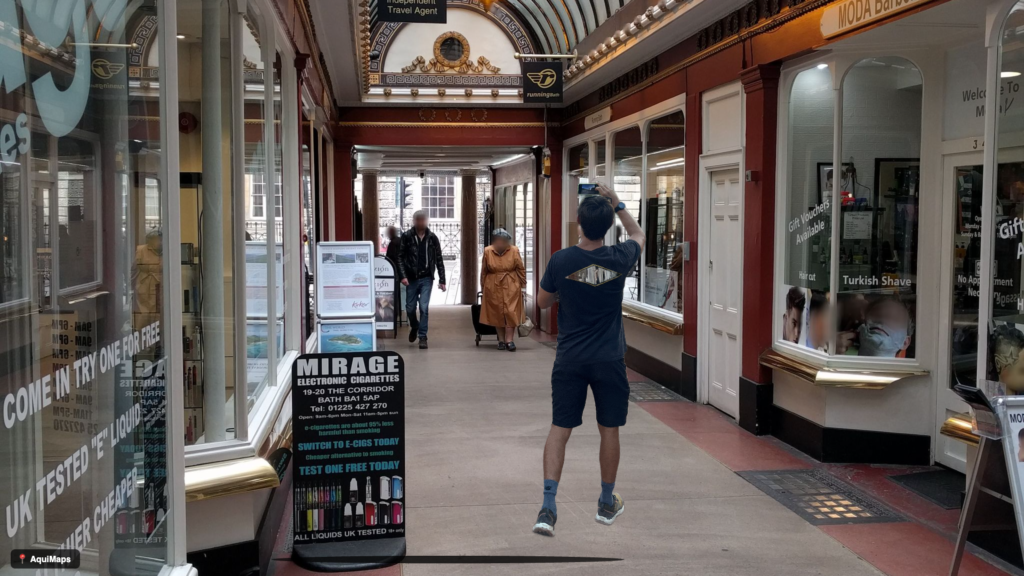
Making composite images look realistic is harder than it initially appears. When you place a cutout on a background, it can look flat and floating without any sense of depth or grounding. I added a shadow slider to help solve this.
My first attempt was a simple blur and glow effect underneath the cutout. It looked wrong. Not like a shadow at all, more like a haze or an artefact. I went back to basic canvas rendering principles. A proper shadow should be a pool of darkness at the subject’s feet, fading out gradually. I implemented it as an elliptical gradient that creates the illusion of depth. Suddenly it looked right. Natural. Properly grounded.
[IMAGE IDEA: Before/after showing a person composited on street view without shadow (looks flat) vs with shadow (looks grounded)]
The Product That Works
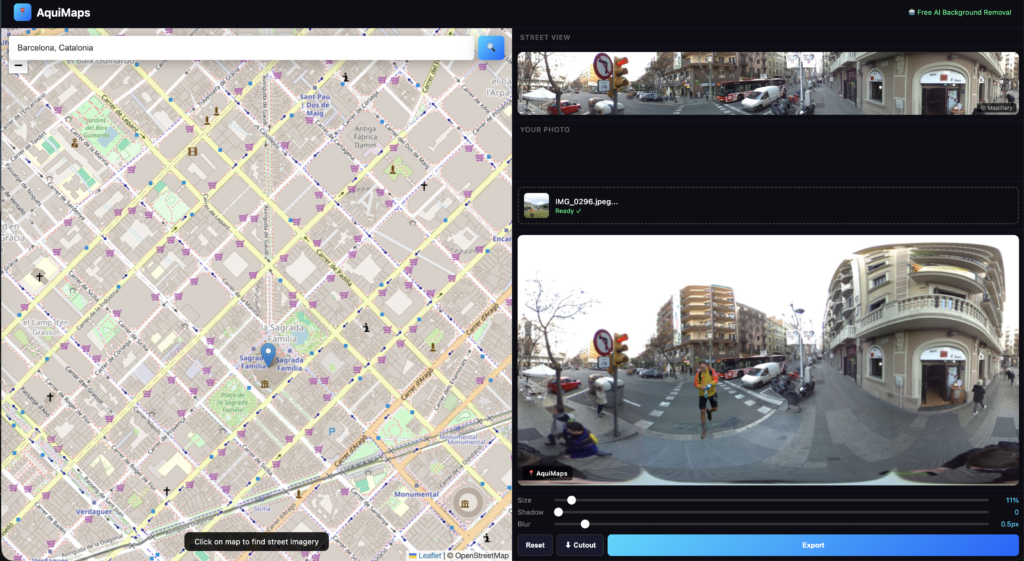
By the time I finished, AquiMaps was a fully functional web application that does exactly what I set out to build. Search for any address on a map, load crowdsourced street-level imagery via Mapillary, upload a photograph and automatically remove the background, composite it onto the street view with adjustable position, size, shadow, and blur effects, then export as a high-resolution image to share.
It costs nothing to run. No server fees, no APIs to pay for, everything happens in the browser. The interface is clean, the workflow is fast, and it works as intended.
Why the Idea Fails
And then I realised the product works, but the idea (with Mapillary) doesn’t.
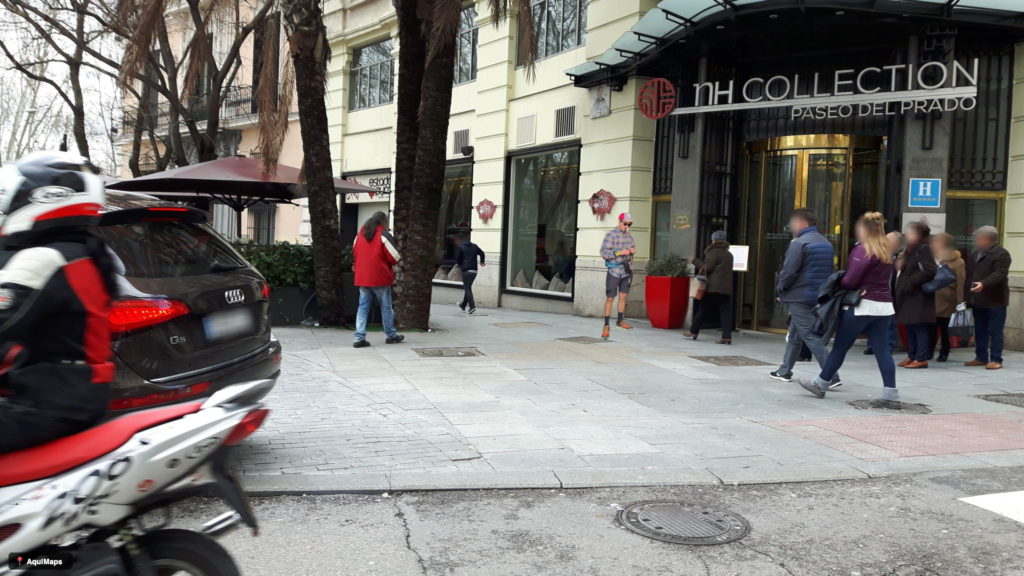
The real problem isn’t coverage. Mapillary has images from most places. The problem is quality. Every image on Mapillary is user-generated. Which sounds democratic and open. But in practice, it means the photos are wildly inconsistent. Some are blurry. Some are taken from the wrong angle. Some are too close-up to be useful. Some are skewed or distorted. Some are just poorly composed.
Testing this became frustrating. I’d search for a specific location—say the Sagrada Familia in Barcelona—and find twenty images from that area. But after fifteen minutes of browsing through blurry shots, overly close angles, and distorted perspectives, I’d find nothing usable. Nothing that looked good enough to composite a person into.
Google Street View works because it’s systematic. Professional cameras on professional vehicles, driving methodical routes, capturing consistent high-quality imagery. Mapillary works for mapping and analysis, where imperfect images are fine. But for something visual and fun—something you’d actually want to share—the quality bar is much higher.
I considered alternatives. I could have focused solely on locations with good Mapillary coverage, accepting lower quality as a trade-off. Narrower scope, but still fundamentally limited. Or allowed users to upload their own Street View screenshots instead. They provide the screenshot, the app is purely an editor. Legally safer, but awkward UX. Or I could have abandoned street imagery entirely and created a “fake Street View aesthetic filter” that generates a Street View-style background for any photograph. Funny, no API problems, but a completely different product.
Any of those directions might have worked. But at that point, I had to be honest. The core idea requires high-quality, consistent street-level imagery. Mapillary can’t provide that. And Google won’t let me use theirs.
So I stopped.
What I Learned
Image quality matters far more than I anticipated. Research your data sources thoroughly before you build, not after. Third-party dependency is a real and serious risk. My entire product depended on Mapillary’s image quality, and when testing showed the images were inconsistent and unreliable—blurry, poorly angled, distorted—the product failed. There was no contingency, no backup plan.
In-browser AI is powerful but comes with unexpected friction. It’s free and private, but slow and requires proper hosting. You can’t simply open an HTML file locally and expect WebAssembly to work—the browser has security restrictions that prevent it. Development environments differ from real deployment environments in subtle but important ways.
Monitoring matters during development. I didn’t track Remove.bg usage properly and burned credits without noticing, which delayed my problem-solving.
On the product side, a working product is fundamentally different from a viable product. AquiMaps works. The technical implementation is solid. But the market doesn’t actually need it, and the user experience friction is too high. Spending fifteen minutes searching through dozens of poor-quality images just to find one usable shot isn’t effortless or fun. When the quality of available imagery is that inconsistent, the product breaks.
Sometimes the best product decision is knowing when to stop, understanding what you learned, and recognising why something didn’t work out. That’s not failure. That’s pattern recognition.
Still Worth Building
The idea itself remains strong. I still think it’s funny. I still think it’s shareable. I reckon an app like this, if done well, could be a viral sensation.
If I found a street-level imagery source with consistently high-quality, professional photography and global coverage, I’d build this again. Or if Google changed their stance on Street View. What I wouldn’t do is force it to work within constraints that fundamentally don’t support it.
That’s what I learned from AquiMaps. The next idea might not have these constraints, and that idea will be worth building properly.
Aquimaps is live now at www.aquimaps.com
To be continued…